
High Performance Computing Facility
India's First 1.66 Peta Flop HPC Facility
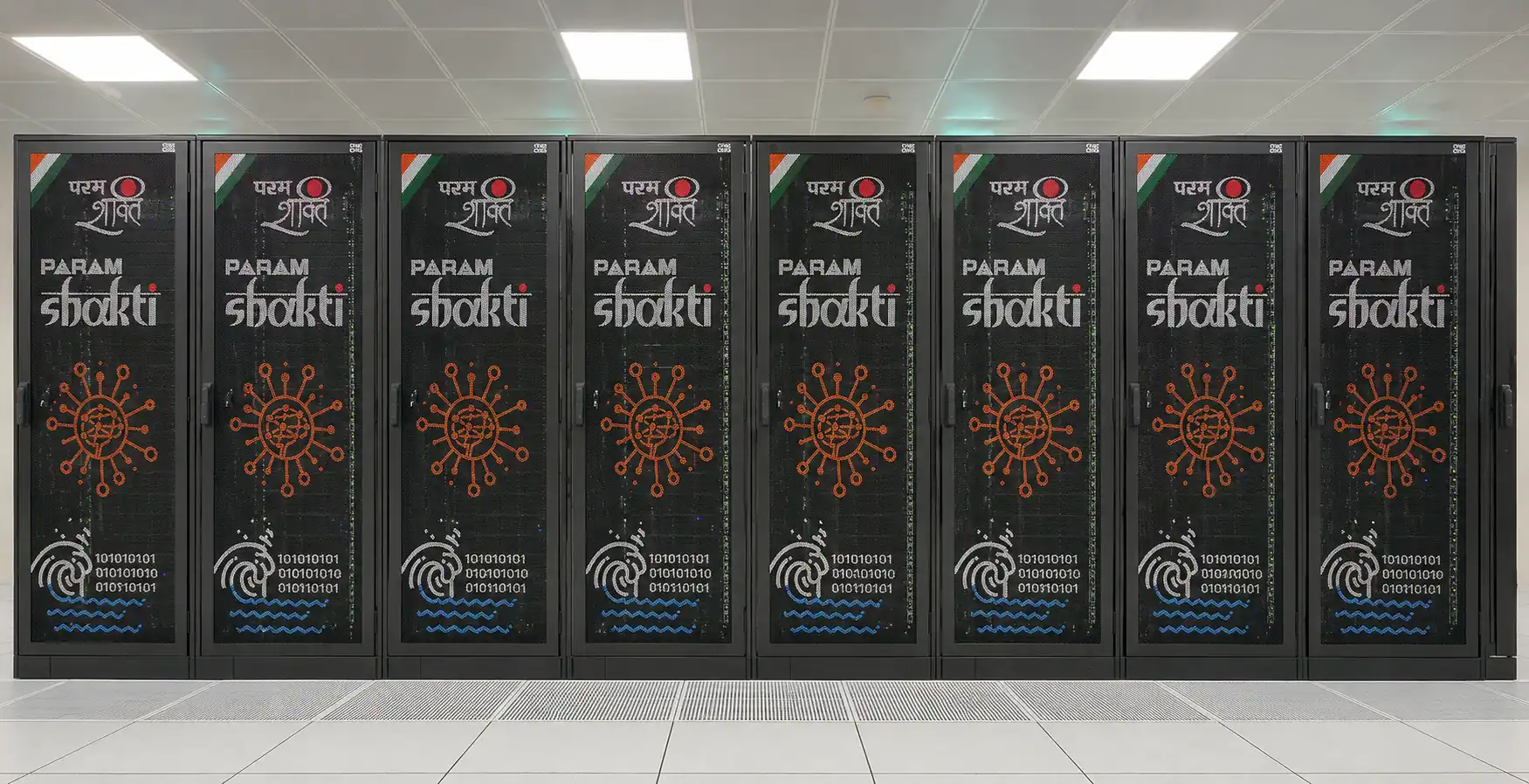
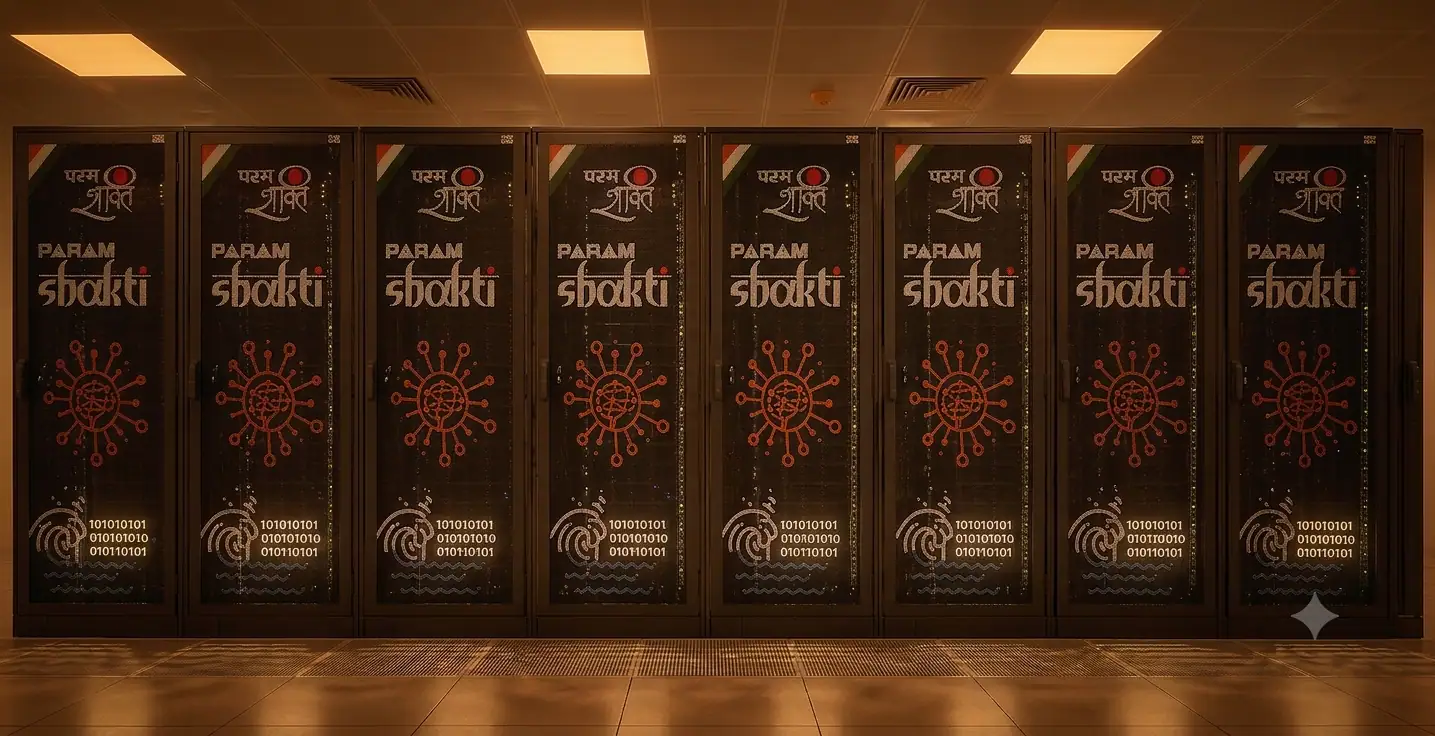


PARAM Shakti
PARAM Shakti is a heterogeneous, hybrid supercomputer based on Intel Xeon Skylake processors and NVIDIA Tesla V100 GPUs, designed and implemented by the HPC Technologies team at the Centre for Development of Advanced Computing (C-DAC). It comprises 2 master nodes, 8 login nodes, 10 service/management nodes, and 442 CPU+GPU compute nodes, with a total peak computing capacity of 1.66 PFLOPS.
Its compute nodes are connected via a Mellanox (EDR) InfiniBand interconnect network, and the system uses the Lustre parallel file system for high-throughput storage.
DGX AI Cluster
A state-of-the-art AI and High-Performance Computing facility designed to support large-scale deep learning, artificial intelligence, scientific computing, and data-intensive research. The cluster comprises five NVIDIA DGX H100 systems (40 H100 GPUs in total), a 1.1 PiB Lustre parallel file system, and a 400 Gbps NVIDIA Quantum InfiniBand fabric, managed through Slurm with tiered GPU QoS policies.
Hardware
PARAM Shakti Node Configuration
A heterogeneous cluster of CPU, GPU, and high-memory nodes interconnected via Mellanox EDR InfiniBand, delivering 1.66 PFLOPS of peak computing capacity.
Master Nodes
Master Nodes supervise and coordinate the cluster. They manage hardware health, workloads, and track utilization across all components.
- 2 × Intel Xeon SKL G-6148
- Cores = 40, 2.4 GHz
- Total Cores = 80 cores
- Memory = 384 GB
- Total Memory = 768 GB
- HDD = 900 GB
Login Nodes
Login Nodes act as user entry points. They support tasks like file transfers, editing scripts, and job submissions, with time and memory limits.
- 2 × Intel Xeon SKL G-6148
- Cores = 40, 2.4 GHz
- Total Cores = 320 cores
- Memory = 384 GB
- Total Memory = 3,072 GB
- HDD = 900 GB
Service Nodes
Service Nodes handle job scheduling and cluster services. They maintain reliability and ensure smooth day-to-day operation of PARAM Shakti.
- 2 × Intel Xeon SKL G-6148
- Cores = 40, 2.4 GHz
- Total Cores = 240 cores
- Memory = 384 GB
- Total Memory = 2,304 GB
- HDD = 900 GB
CPU Compute Nodes
CPU Compute Nodes are the workhorses of PARAM Shakti. They execute both interactive and batch jobs with local SSDs for fast scratch storage.
- 2 × Intel Xeon SKL G-6148
- Cores = 40, 2.4 GHz
- Total Cores = 15,360 cores
- Memory = 192 GB
- Total Memory = 73,728 GB
- SSD = 480 GB
High Memory Nodes
High Memory Nodes provide extended RAM per node, enabling simulations and jobs with very large memory requirements beyond standard compute nodes.
- 2 × Intel Xeon SKL G-6148
- Cores = 40, 2.4 GHz
- Total Cores = 1,440 cores
- Memory = 768 GB
- Total Memory = 27,648 GB
- SSD = 480 GB
GPU Compute Nodes
GPU Compute Nodes combine CPUs with NVIDIA V100 GPUs. CUDA and OpenCL optimized applications achieve huge speedups for AI and HPC workloads.
- 2 × Intel Xeon SKL G-6148
- Cores = 40, 2.4 GHz
- Total Cores = 880 cores
- Memory = 192 GB
- Total Memory = 4,224 GB
- 2 × NVIDIA V100 (16 GB each)
Storage
PARAM Shakti uses the Lustre parallel file system. It offers scalable and reliable storage with high throughput, ideal for large scientific workloads.
- Primary Storage = 2.1 PiB
- Archival Storage = 500 TiB
- Throughput = 50 GB/s
Operating System
The cluster runs on Linux (CentOS 7.6), a stable operating system widely used in HPC. It provides compatibility and reliable performance for users.
- OS = Linux
- Distribution = CentOS 7.6
DGX AI Cluster Node Configuration
Five NVIDIA DGX H100 systems interconnected via 400 Gbps NVIDIA Quantum InfiniBand, delivering 40 H100 GPUs of dedicated AI compute capacity.
Computing Resources
- Five NVIDIA DGX H100 systems with 8 GPUs each (40 total H100 GPUs)
- Nodes dgx1–dgx4 grouped under the dgx_all partition
- Node dgx5 dedicated to the dgx_ccds partition
Storage & Networking
- 1.1 PiB Lustre parallel file system
- NVIDIA Quantum InfiniBand at 400 Gbps bandwidth
- 1.5 TB home directory quota per user
- ~1 TB RAID storage per assigned DGX node
Management
- Three Intel Xeon Gold 6530 servers providing High Availability via Proxmox
- Slurm workload manager with QoS policies
Leadership

Prof. Soumyajit Dey
Chairman | Head of Centre for Computational and Data SciencesProfessor | Department of Computer Science and Engineering

Prof. Somnath Roy
Co-Chairman | Associate Head of Centre for Computational and Data SciencesProfessor | Mechanical Engineering

Prof. Pabitra Mitra
MemberProfessor | Dept. of Computer Science & Technology
Prof. Sanjoy Bandyopadhyay
MemberProfessor | Dept. of Chemistry

Prof. Sonjoy Majumder
MemberProfessor | Department of Physics

Prof. Pralay Mitra
MemberProfessor | Computer Science and Engineering

Prof. Sabyashachi Mishra
MemberProfessor | Department of Chemistry
Prof. Sandeep Kumar Reddy
MemberAssociate Professor | Centre for Computational and Data Sciences

Prof. Rajaram Lakkaraju
MemberAssociate Professor | Mechanical Engineering
.jpg)
Cdr Devraj Patel (Retd)
ConvenorSenior Software Engineer Grade-I | Centre for Computational and Data Sciences
Administration
Cdr Devraj Patel (Retd)
HPC AdminSenior Software Engineer Grade-I | Centre for Computational and Data Sciences

Shibabroto Banerjee
Technical SuperintendentCentre for Computational and Data Sciences

Gopal Biswas
Senior AssistantCentre for Computational and Data Sciences

Ashutosh Kumar Jha
Technical Program ManagerCentre for Computational and Data Sciences

Abhishek Kumar
Project Assistant – ITCentre for Computational & Data Sciences
“Science is a beautiful gift to humanity; we should not distort it but harness its power to transform our nation.”
Frequently Asked Questions
What HPC resources are available at IIT Kharagpur?
IIT Kharagpur provides two computing facilities:
(a) PARAM Shakti – A heterogeneous CPU-GPU supercomputer for general HPC workloads.
(b) GPU Cluster – NVIDIA DGX H100 systems designed for AI, deep learning, and large-scale GPU computing.
Which cluster should I use?
(a) Use PARAM Shakti for CPU-intensive simulations, engineering, scientific computing, MPI/OpenMP applications, and workloads requiring moderate GPU resources.
(b) Use the DGX AI Cluster for large-scale deep learning, LLM training, distributed AI, and GPU-intensive applications. Users requiring less than 16 GB of GPU memory per GPU are encouraged to use PARAM Shakti.
Who is eligible to use the HPC facility?
Faculty members, scientists, research scholars, project staff, and students of IIT Kharagpur working on academic research may apply through their Faculty Advisor/Principal Investigator (PI).
Is HPC usage free?
Yes. Standard academic usage is available through the default free QoS. Priority allocations or special queues may be chargeable according to the institute's policy.
How do I apply for an HPC account?
Create an account on the HPC ERP System, complete your profile, and submit an access request. Your PI must approve the request before it is activated. You can apply here .
Who approves my account?
Your Faculty Advisor/Principal Investigator approves your request, after which the HPC Administration provisions the account.
How long does account activation take?
Normally, within one working day after all approvals are completed.
Can external collaborators obtain access?
Yes, subject to approval by the sponsoring faculty member and the HPC Administration.
Can I share my account?
No. Accounts are personal. Sharing passwords or allowing others to use your account is strictly prohibited.
How do I reset my password?
Use the password reset option available in the HPC ERP System , or contact HPC Support.
How do I connect to the clusters?
After account activation, connect using SSH from the login nodes. Connection details are available in Access PARAM Shakti.
What are login nodes used for?
Login nodes are only for file transfer, compilation, editing, and job submission. Long-running or resource-intensive jobs must never be executed on login nodes.
How do I run my applications?
All applications must be submitted through the Slurm Workload Manager using commands such as sbatch, srun, or salloc.
Where can I find sample Slurm job scripts?
Sample job scripts are available in Job Submission and in the cluster under /home/iitkgp/slurm-scripts.
Why is my job waiting in the queue?
Common reasons include:
• Insufficient available resources
• Requested wall time is too long
• Requested GPUs or memory exceed current availability
• Higher-priority jobs are running
How do I request GPUs?
Specify the required GPUs in your Slurm job script using the appropriate Slurm options, e.g. #SBATCH --gres=gpu:1.
Can I run CPU-only jobs on the DGX cluster?
No. CPU-only workloads should be submitted to PARAM Shakti. DGX resources are reserved for GPU-intensive AI workloads.
Does the DGX cluster support multi-node training?
Yes. The dgx_all partition supports distributed multi-node GPU jobs across DGX nodes.
Which software packages are available?
The clusters provide compilers, MPI libraries, CUDA, Python, PyTorch, TensorFlow, MATLAB, R, GROMACS, OpenFOAM, ANSYS, and many other scientific applications.
Can I install my own software?
Yes. Users may install software in their home directory or Conda environments, provided licensing terms are respected.
What is the difference between Home and Scratch storage?
Home: Permanent storage for source code and important files.
Scratch: High-performance temporary storage for running jobs. Scratch data is not backed up and may be automatically deleted after the retention period.
How do I transfer files?
You may use scp, sftp, rsync, or other secure file transfer tools. See File Transfers for more details.
What activities are prohibited?
The following are not permitted:
• Sharing user accounts
• Running jobs on login nodes
• Cryptocurrency mining
• Unauthorised security testing
• Commercial use without approval
• Use of unlicensed software
• Activities violating institute policies
How should I acknowledge the HPC facility?
Please acknowledge the use of PARAM Shakti or the DGX AI Cluster in all publications, theses, presentations, and reports, and submit publication details through the HPC Portal .
Users are required to acknowledge the use of PS in all publications, presentations, thesis, webpages, etc., by including the following or a similar statement:
“We acknowledge National Supercomputing Mission (NSM) for providing computing resources of 'PARAM Shakti' at IIT Kharagpur, which is implemented by C-DAC and supported by the Ministry of Electronics and Information Technology (MeitY) and Department of Science and Technology (DST), Government of India.”
How do I report technical issues or request support?
Create a support ticket through the HPC User Portal . Include:
• Username
• Cluster (PARAM Shakti or DGX)
• Job ID (if applicable)
• Error message
• Application name
• Partition used
• Steps to reproduce the issue
This helps the support team resolve your issue more quickly.
Contact
Get in Touch with the HPC Team
For account queries, technical issues, or general information about PARAM Shakti, reach out to the HPC administration team at IIT Kharagpur.
Phone
+91 32222 82229
Location
1st Floor, Sir J.C. Bose Annexe
IIT Kharagpur, Kharagpur 721302
Support Ticket
Get In Touch
Send us a message and we'll get back to you as soon as possible.